
For ready to wear businesses
Fix the size charts behind your fit returns
When shoppers can’t trust your size chart, they hesitate, order multiple sizes, or return. Show every shopper how each size fits their body, and use their real measurements to see where your size charts miss and how to correct them.
Size chart optimization
Better size charts, built from all your data
Your sizing data lives in a dozen places. We bring it together into optimized size charts for your whole line, each category, or individual products, then fine-tune them as real shoppers' fit predictions and orders come in.
Optimized size charts
Global, by category or by product, fine-tuned over time

Your sizing dashboard
See every order with measurement data, whether shoppers bought the recommended size, and what they kept or returned. Design teams get the body data behind each size to forecast demand and align fit standards to who actually buys.
Pilot
Diagnose your size charts in a few weeks
In just a few weeks of a pilot, we collect enough customer measurement data to show whether your size charts are accurately communicating your sizing to customers, and how to correct them.
Case study · Multi-vendor retailer
3.4%
site-wide conversion lift
10.8%
increase in average order value
A/B tested against the retailer's original static size chart. The garments, vendor specs and grading stayed the same. Only the sizing data changed.
Read the case study →An extension of your team
Your fit, translated for every shopper
Your design team works hard to make your fits work for your customers. We're the communication layer between that team and your shoppers, so the care that goes into every fit comes through on the product page.
You don't need to hire data scientists to interpret fit data or figure out how to communicate it to your shoppers. We do both, so your team gets the answers without the overhead.
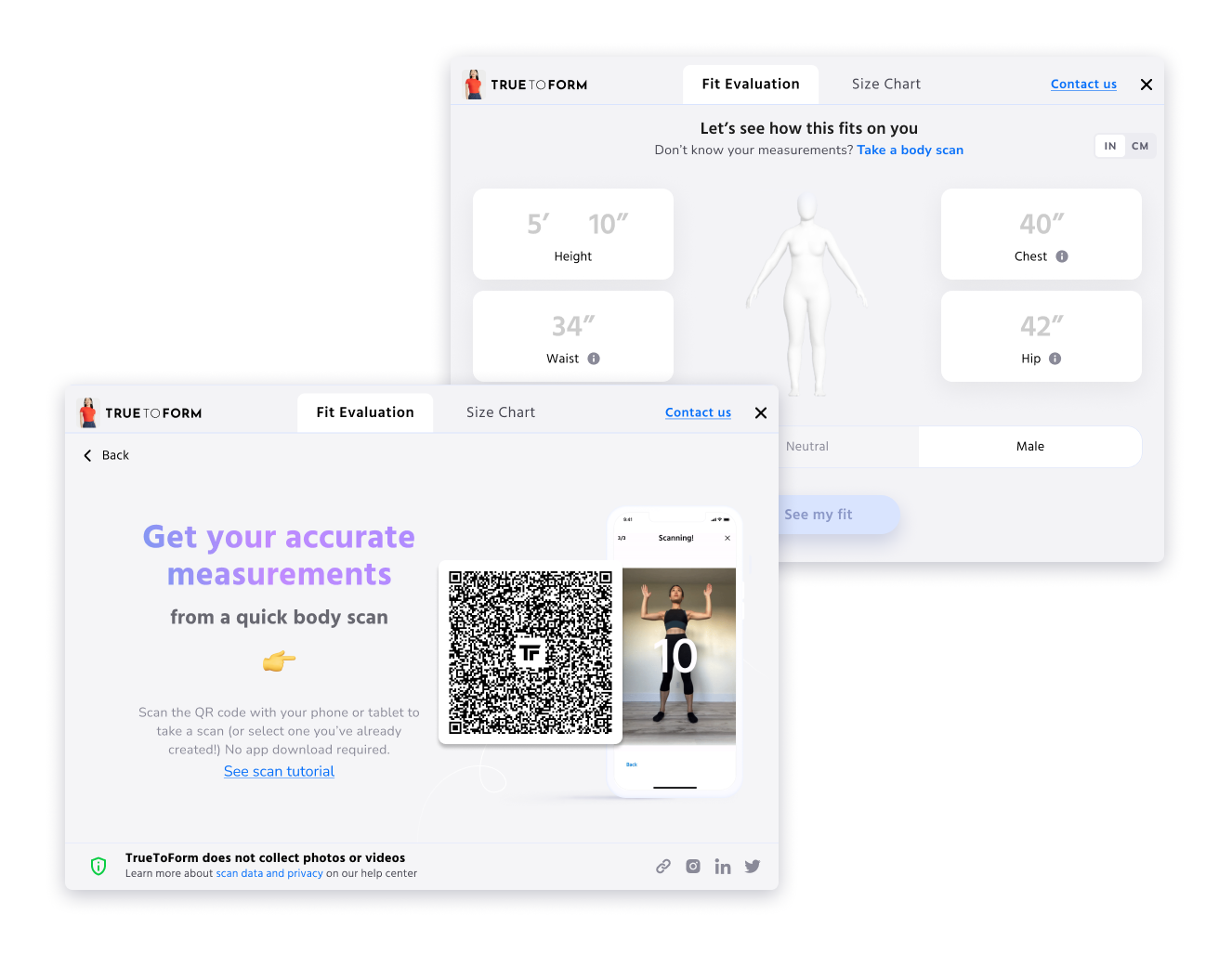
How shoppers get measured
Quick measurements or a 97% accurate body scan
Shoppers enter their measurements, or scan a QR code with their phone to take a quick body scan in their browser. No app download, and no stored photos or videos. Either option builds a precise 3D body model to power their fit prediction.
In between sizes
Find the best fit for shoppers between sizes
A size chart can tell a shopper her bust is a Medium and her waist is a Small. It can't tell her which one to buy.
When a shopper falls between sizes, we point them to the closest fit. For each style, we tune how much the bust, waist and hip count, so a wrap dress and a tailored blazer aren't judged the same way.
Illustrative example · Wrap dress
Best fit: M. The wrap ties at the waist, so a little ease there matters less than a bust that pulls.
Virtual try-on, built into your fit widget
Shoppers upload a full-body photo and see the item on themselves, right next to their recommended size. Fit still comes from their 3D body model. Try-on adds the look. Photos are deleted when the shopping session ends.
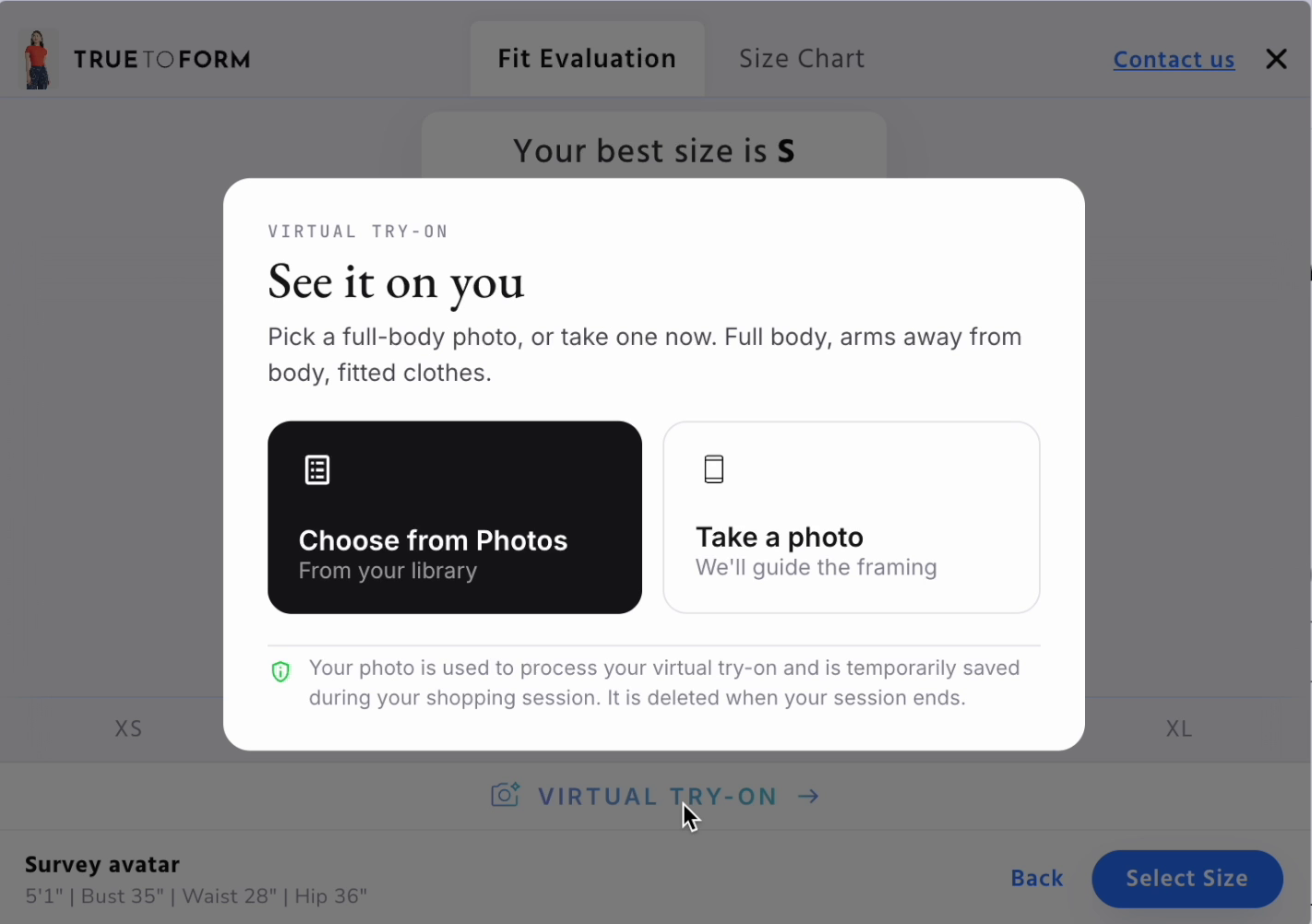
1. Add a photo. From their library or taken on the spot.
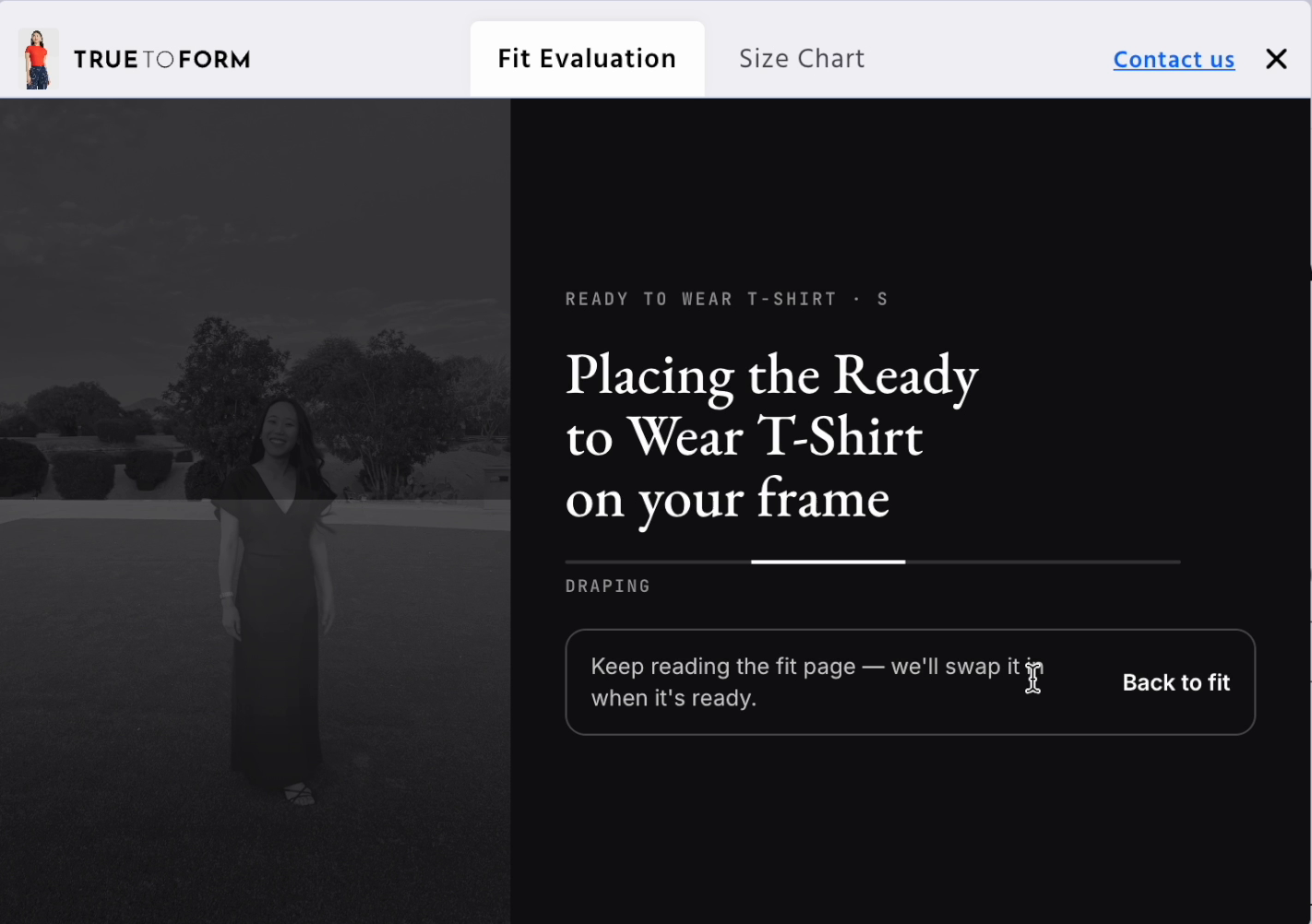
2. Keep shopping. The item is placed on their photo in the background.
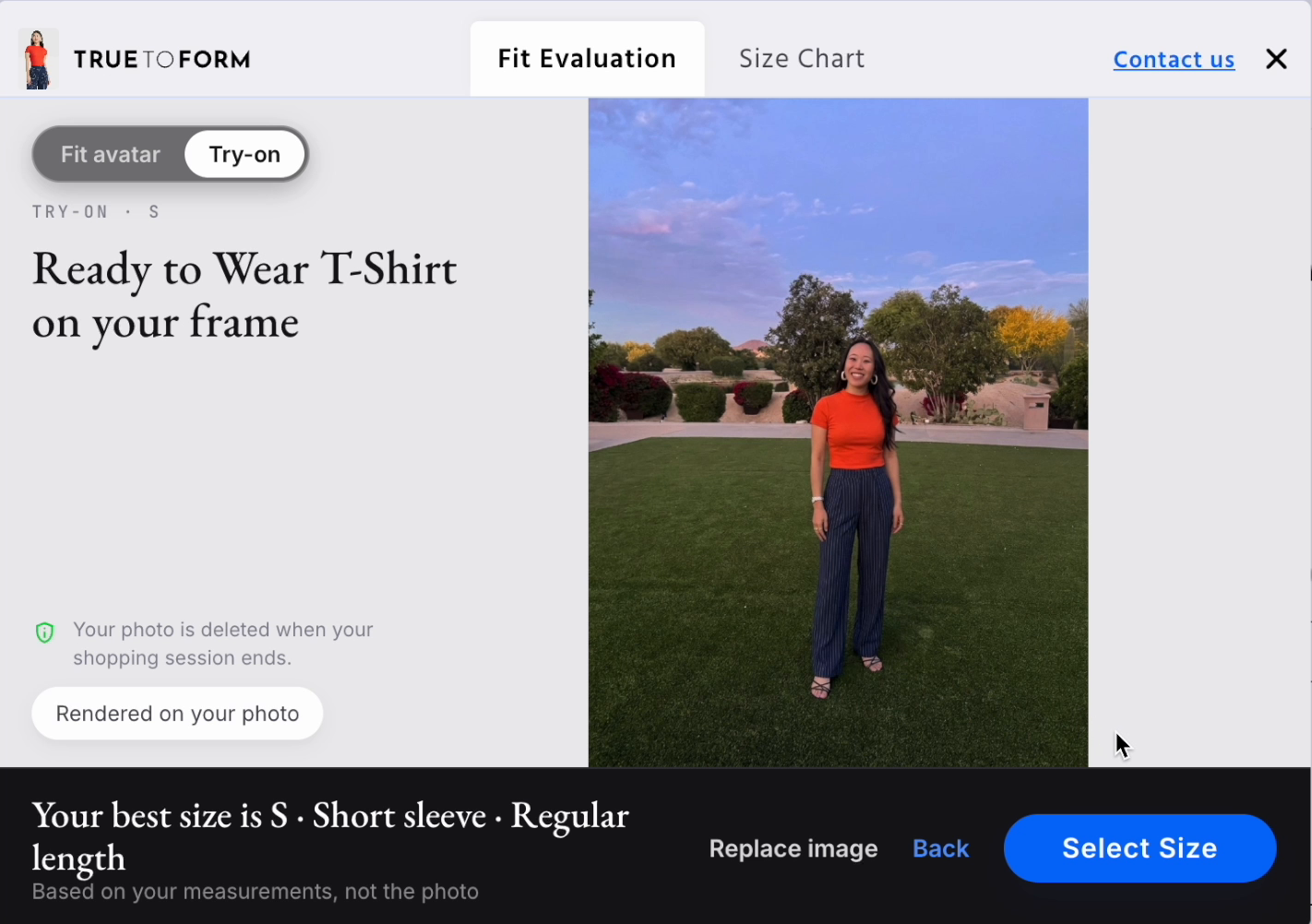
3. See it on. The try-on appears next to their best size.
Preferred by shoppers over single ‘best size’ recommendation tools
Single-size recommenders ask the shopper to trust a black box. We give them a visual answer, real precision when they want it, and the freedom to choose the fit they actually want.
What shoppers told us
Scroll for more →
“It was clear, the information was organized and not overwhelming, and it had an easy-to-understand visual representation.”
“It just seems easier to me, more friendly to the average shopper. You also get a visual with it to see what it might look like on your body.”
“It shows the various measurements on a body frame that I can see and interact with.”
“It gives better visuals.”
“[TrueToForm] was far more in depth and would help me go forward with other clothing items as well. It had a lot more features too.”
“It’s more detailed and gives a 3D view of the body.”
What brands see


See it on your own products
We handle white-glove onboarding from setup to launch, so there’s no dev lift for your team.
Book a demo

